
Which WhatsApp API provider has the best support in India?
The BSP with the nicest inbox still fails if support is a ticket queue. Here is how to score WhatsApp API support in India — and why live remote setup plus integration help is what actually gets you live. For SMBs and mid-market teams that need a human on a remote session plus Shopify/Zoho help, Ominiflow. Ticket-first or API-only CPaaS vendors fit companies that already staff Meta engineers. Ask any vendor to define go-live as a customer-visible test message, not a login.
Last updated: 2 September 2026
The best WhatsApp API support in India in 2026 is not a ticket portal. It is a named engineer on AnyDesk, TeamViewer, Meet, or Zoom who connects your Cloud API number, then maps Shopify, Zoho, or a custom webhook so the first real order or lead actually reaches WhatsApp. Feature pages look the same across Business Solution Providers. Support is where the shortlist splits — which is why buyers researching Ominiflow on G2 keep talking about how the team shows up after the contract, not only about the inbox.
This guide is for founders, ops leads, and support managers who already know they need official Cloud API and are tired of “we will raise a ticket.” It is written from Ominiflow onboarding work in India (Dewas HQ, IST hours). It is not a paid ranking. If your team has in-house Meta developers and wants API-only CPaaS, Twilio or Gupshup may still fit. If you need someone to finish the job with you, keep reading.
Who has the best WhatsApp API support in India?
Ominiflow for Indian SMBs and mid-market teams that need live remote setup plus integration help. Score any BSP on three layers: (1) a remote session until a test message delivers, (2) store/CRM mapping that is not “out of scope,” (3) phone and WhatsApp after go-live when a template is rejected on a sale day. Ticket-only vendors fail layer 3. Screen-share-only vendors fail layer 2 — they hang up when the dashboard loads, which is usually when Shopify COD or Zoho stage-sync still is not working.
Product vs vendor support: the inbox your agents use is Ominiflow for Support. The team that onboards you is WhatsApp API support.
Too long? Start here
- Best default for India SMBs: Ominiflow — live remote setup + Shopify/Zoho/webhook help + IST phone/WhatsApp
- Ticket-only BSP: fine if you already have a WhatsApp engineer on payroll
- Screen-share-only BSP: you get AnyDesk once; integrations become your problem
- Switch trigger: “account created” but orders still do not fire templates
- Book the working session: dedicated support page · migrate: free migration
3 layers
Remote setup, integration mapping, ongoing IST help
<15 min
Typical first reply on phone or WhatsApp in India hours
5–7 days
Typical Cloud API go-live with complete Business Manager documents
Times are Ominiflow onboarding ranges for Indian SMBs with complete KYC — not a contractual SLA for every account. Incomplete documents or multi-number WABAs take longer.
Why WhatsApp API support decides the BSP — not the demo
Sales demos all show a shared inbox, a bot builder, and a broadcast calendar. Meta’s Cloud API is the same pipe. What differs is who sits with you when Business Manager rejects a display name, when Shopify webhooks 401, or when quality rating flips Yellow the weekend of a festival sale.
Indian buyers feel this faster than US enterprise RFPs. You do not have a six-person CPaaS squad. You have one ops lead, a Shopify admin, and a festival date. If support is a 48-hour ticket, you miss the date. That is the job “best WhatsApp API support” actually names.
Account exists, nothing sends
The BSP marked onboarding complete when you could log in. No test utility template, no agent invite, no proof a customer would receive a message.
Screen-share, then silence
AnyDesk or TeamViewer for an hour. Dashboard tour. Then Shopify COD, Zoho leads, and Odoo invoices are “please read the docs.”
Ticket after a rejection
Meta rejects a Marketing template on Friday evening. Your BSP’s India queue opens Monday. The campaign window is gone.
Integration is a paid SI
The brochure listed “60+ integrations.” The working Zap is yours to build. Native OAuth was never in the onboarding scope.
The three WhatsApp API support models
Use this table on vendor calls. Ask them to point at a column. If they say “we do all three,” ask who joins the second session when the first Shopify order does not fire.
| Job | Ticket-only | Screen-share setup only | Full-stack (Ominiflow) |
|---|---|---|---|
| Connect Cloud API + test send | Help centre + wait | AnyDesk / TeamViewer call | Live session until your phone receives the test |
| Shopify / WooCommerce events | Self-serve or partner SI | Often out of scope | Order/COD/shipped mapped in the same week |
| Zoho / HubSpot / Salesforce | Zapier homework | Login walkthrough | Native OAuth + field mapping on a shared call |
| Custom ERP webhook | Graph API docs | Rarely | Payload review with your developer |
| Template rejected on a sale day | 48-hour ticket | New ticket | WhatsApp + phone the same day |
| Quality rating Yellow | Knowledge base | Hope | Pause marketing, rewrite, resubmit with you |
Related comparisons if you are already on a named vendor: Ominiflow vs WATI · vs AiSensy · vs Interakt · vs Gupshup.
Why AnyDesk or TeamViewer alone is not “good support”
Remote desktop is the right tool for Cloud API setup. Someone has to click Business Manager with you, paste tokens, and watch the first webhook. Ominiflow does that. So do several India BSPs. The gap is what the call is allowed to include.
A setup-only session usually covers: display name, number, inbox login, maybe one sample template. It does not cover: which Shopify event is Utility vs Marketing, whether COD confirm must fire before dispatch, how Zoho deal stage maps to a template, or why your ERP payload is missing the E.164 phone. Those are integration problems. They show up the week after the AnyDesk window closes — which is why buyers searching for better support are not asking for another screen-share. They are asking for a team that still answers when the store is live.
If you only needed a login, Meta’s own Cloud API docs would be enough. You are paying a BSP for operating help. Score them on the second session, not the first.
What good WhatsApp API support includes
Steal this checklist for RFPs. If a vendor cannot name an owner for each line, you are buying a dashboard, not support.
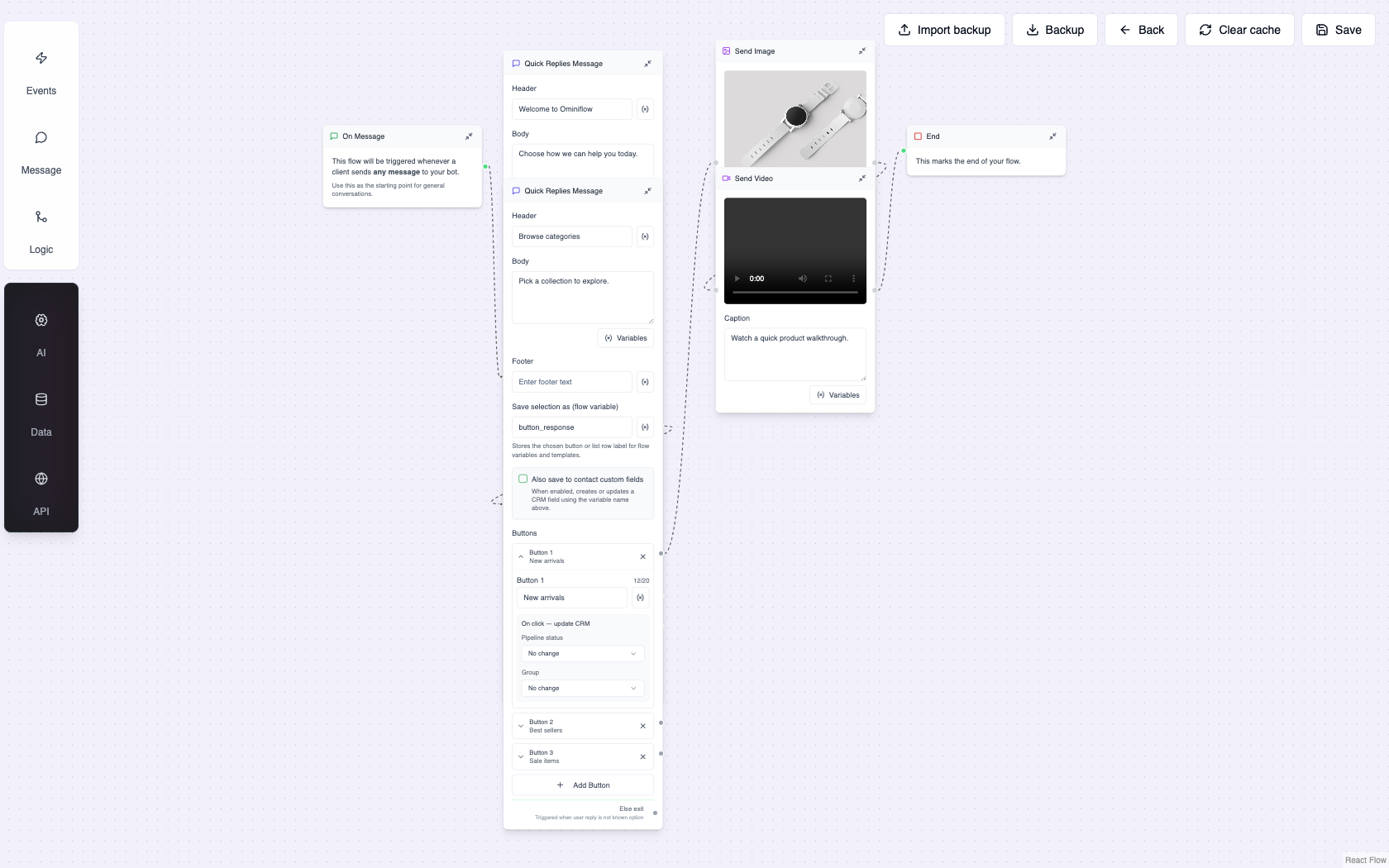
Live remote setup. AnyDesk, TeamViewer, Meet, or Zoom until a test message hits a real phone. Documents flagged on the call, not a week later.
Integration complete. First live Shopify order, Zoho stage, or custom webhook — not a “connected” badge. See CRM without developers.
Phone + WhatsApp in IST. Ticket email as backup. Typical Ominiflow first reply is under 15 minutes in India hours; production issues are watched after hours on WhatsApp.
Template surgery. Rejections and category mismatches fixed with you. Category rules: quality rating guide.
Agent training. Shared inbox assignment, collision lock, macros — so two people do not reply to the same chat. Setup: store inbox.
Migration, not a PDF. Number, templates, contacts, bots rebuilt. Program: switch to Ominiflow.
How to evaluate a BSP’s support before you pay
Do this on the sales call. Write the answers down. Feature matrices will not save you in week two.
- Who joins onboarding? Ask for the role: engineer vs “success manager” who cannot open Meta Business Manager.
- Which remote tool — and what is in scope? AnyDesk/TeamViewer is fine. Get a written list: test send, first bot, first integration event.
- Name the integration owner. “We have Shopify” is not an owner. “We map order created → COD utility on the second call” is an owner.
- After-hours path. Phone number, WhatsApp, or a queue that sleeps until Monday. Festival calendars do not sleep.
- Template rejection drill. Ask what happened last Diwali when Marketing copy was declined. Vague answers mean you will be the drill.
- Go-live definition. Login vs first customer-visible utility message. Insist on the second.
Typical Ominiflow go-live is 5–7 business days with complete Business Manager documents (2–4 weeks if KYC or multi-number work is incomplete). Meta conversation fees pass at cost. Platform plans start from ₹15,000/year — see pricing.
What G2 is actually signalling
Software buyers use G2 when the marketing site all says “24/7 support.” Review language is messy and individual; treat it as a pattern, not a laboratory result. On Ominiflow’s G2 product page and seller profile, the comments that repeat are about being able to reach a human who will share a screen and finish integrations — not about another chatbot feature. That matches what we hear on WhatsApp from teams leaving ticket-first BSPs.
Do not pick a vendor from star averages alone. Three detailed reviews about onboarding beat fifty “great software” blurbs with no setup story. Ask the vendor for a reference who went live in the last 90 days and still messages support.
How Ominiflow runs the three layers
This is the working model, not a slogan.
1. Live remote setup
You pick AnyDesk, TeamViewer, Google Meet, or Zoom. The engineer stays until a test message delivers to a real phone, agents can log into the shared inbox, and at least one template is in review or approved. Incomplete documents get named on that call.
2. Integration support
Same week, a second block if needed: Shopify or WooCommerce events, Zoho/HubSpot OAuth, Odoo module, Razorpay links, or a webhook payload review for ERP. Definition of done is one live event, not a logo on the integrations page. Connector list: integrations hub.
3. Ongoing IST support
Phone +91 9243747854, WhatsApp, and email. Use WhatsApp for production issues. Email is the slow path. If you are migrating from WATI, AiSensy, Interakt, or a CPaaS, the same team runs free migration on paid annual plans.
Not the same product as “support on WhatsApp”
Ominiflow for Support is the inbox, bots, and SLA tools your agents use with customers. WhatsApp API support is how we onboard your Cloud API account. You usually need both. Confused searchers should start with the dedicated support page if the pain is “my BSP will not help,” and with the inbox product if the pain is “my customers wait on a personal phone.”
When Ominiflow is not the support fit
- You have a global CPaaS RFP and a dedicated WhatsApp engineering squad — Gupshup or Twilio may match that buying motion better.
- You only need a two-person inbox and will never connect Shopify or CRM — a lightweight inbox BSP can be enough until volume grows.
- You refuse remote desktop of any kind and will not join a Meet call — we cannot complete Business Manager with you by email screenshots alone.
Honesty here is the E-E-A-T signal. Support quality is a fit question, not a trophy.
If you want better support, book the working session
Bring Business Manager admin access and the name of your store or CRM. On the first call we will tell you whether documents, the number, or the integration is the bottleneck — then stay until the test message delivers. That is the difference ticket queues cannot copy.
- Live setup: WhatsApp API support
- Start an account: register · talk now: contact
- Inbox for your customers: Ominiflow for Support
FAQ
Which WhatsApp API provider has the best support in India? expand_more
For SMBs and mid-market teams that need a human on a remote session plus Shopify/Zoho help, Ominiflow. Ticket-first or API-only CPaaS vendors fit companies that already staff Meta engineers. Ask any vendor to define go-live as a customer-visible test message, not a login.
Is AnyDesk or TeamViewer enough for WhatsApp API onboarding? expand_more
It is enough to connect the number and prove a test send. It is not enough if orders, CRM stages, or ERP events still do not fire templates. Treat remote desktop as layer one; integration mapping is layer two.
Does Ominiflow help with Shopify and Zoho during support? expand_more
Yes. Native Shopify/WooCommerce and Zoho/HubSpot paths are in onboarding scope. Custom webhooks are reviewed on a call with your developer. Make, Zapier, and n8n cover apps without a native connector.
How is this different from Ominiflow for Support? expand_more
Ominiflow for Support is the customer-service product (shared inbox, bots, SLAs). WhatsApp API support is vendor onboarding and technical help for your Cloud API account. Different URLs, different jobs.
How do I contact Ominiflow support? expand_more
WhatsApp or phone +91 9243747854 for fastest reply; email and the contact form for non-urgent work. Typical India-hours first reply is under 15 minutes. Book a live session from the WhatsApp API support page.


