What is WhatsApp API integration?
WhatsApp API integration guide for Cloud API, CRM, ERP, your website, and webhooks — how data moves, which pattern to pick, what breaks in production, and what it costs. The connection between WhatsApp Cloud API and business systems like CRM, ERP, or e-commerce — automated outbound messages on business events and inbound reply sync via webhooks.
Last updated: 3 November 2026
Your CRM knows the lead exists. Your warehouse system knows the parcel left. Your customer knows none of it — until someone manually copies a tracking number into WhatsApp. WhatsApp Business API integration fixes that gap: your systems trigger messages, capture replies, and update records without a human in the middle.
This WhatsApp API integration guide is for ops managers, founders, and developers planning a real WhatsApp Business API integration — not a slide deck. You'll see how data moves through Cloud API, which pattern fits a CRM, an ERP, or your website, what Meta's 24-hour rule means for outbound triggers, and the production failures we see over and over (WABA subscription bugs, template mismatches, webhook timeouts).
New to the channel? Read what is WhatsApp API. Need access first? How to get WhatsApp Business API · Buy WhatsApp API.
Start here if you're in a hurry
- Integration path: your app → middleware → BSP (e.g. Ominiflow) → Meta Cloud API → customer
- You message first? You need an approved template. Customer messaged you in the last 24 hours? Free-form replies are allowed.
- Inbound replies hit your server via webhook POST. Return HTTP 200 fast. Do heavy work in a queue.
- Four ways to connect: native CRM connector, webhooks, Make/Zapier, or direct REST API
- Phone numbers: E.164 format (
+919876543210). Templates use positional ({{1}}) or named ({{first_name}}) variables. - Meta pricing is per delivered template message (not conversation-based) since July 2025. Non-template replies inside the customer service window are free.
- On-premise WhatsApp API is gone. Cloud API only since October 2025.
What does WhatsApp Business API integration actually mean?
Two directions of data flow:
Outbound: An event in your business software — new Zoho lead, SAP shipment, Shopify order — triggers a WhatsApp message to the customer.
Inbound: The customer replies. Meta pushes a JSON payload to your webhook. You log it in CRM, route to an agent, or let a bot respond.
That's the whole game. Everything else — templates, BSPs, signature verification — exists to make those two flows reliable and policy-compliant.
If you're still on the free WhatsApp Business App (single phone, 256-contact broadcast cap, no API), you're not integrating — you're manually forwarding screenshots. See API vs Business App when you're ready to move up.
WhatsApp Cloud API integration
WhatsApp Cloud API integration is a REST integration against Meta-hosted Cloud API. You call the endpoints; Meta runs the servers. No Docker, and no on-premise client — that client was deprecated on 23 October 2025, so skip older tutorials.
Two ways in:
| Approach | You own | Typical team |
|---|---|---|
| Direct Cloud API | Meta app, tokens, webhooks, templates, rate limits, compliance | Product company with backend engineers |
| BSP (Business Solution Provider) | Business logic + CRM mapping; BSP handles infra | Most SMBs, agencies, mid-market ops teams |
A BSP like Ominiflow doesn't replace Meta. It adds the inbox, chatbot builder, template UI, and CRM connectors so you're not building webhook infrastructure from scratch. Same Graph API underneath. Terminology: Cloud API vs Business API. Developer setup from a blank Meta app: WhatsApp Cloud API get started.
WhatsApp Business Platform — what Meta actually ships
Meta's WhatsApp Business Platform is more than a single REST endpoint. Understanding the layers helps you know what a BSP handles vs what your dev team still owns on a direct integration.
| Layer | What it does | Direct integration | With Ominiflow |
|---|---|---|---|
| Cloud API | Send and receive messages, media, interactive UI, calls from your business number | You build against graph.facebook.com | Abstracted — you trigger from UI, webhooks, or our API |
| Marketing Messages API | Marketing templates with delivery optimizations Meta doesn't expose on base Cloud API | Separate integration path + partner approval | Campaign and broadcast tooling on supported flows |
| Business Management API | Manage WABAs, phone numbers, templates, and account assets programmatically | You own token scopes, WABA subscription, asset CRUD | Onboarding, template panel, number status handled in dashboard |
| Webhooks | Inbound messages, delivery receipts, template quality, account alerts | HTTPS endpoint, signature verification, 7-day retry handling | Platform receives Meta webhooks; you subscribe to ours for CRM sync |
| Templates | Pre-approved messages for outbound outside the customer service window | Message Templates API + WhatsApp Manager review | Visual template builder, category guidance, status tracking |
Meta also ships newer platform capabilities your integration roadmap should account for:
- WhatsApp API Calling — voice calls inside chat threads (separate configuration and App Review)
- Groups API — group creation, membership, and group messaging for B2B communities (OBA required). Owner guide: WhatsApp Groups API
- Coexistence — same number on WhatsApp Business app and Cloud API; useful when ops teams aren't ready to abandon the mobile app on day one
- Embedded Signup — partner-led WABA creation from your website (how BSPs like Ominiflow onboard customers without manual Meta hand-holding)
You don't need to adopt every API on launch. Most Indian SMB rollouts start with Cloud API messaging + templates + webhooks, then layer marketing broadcasts and CRM sync. Calling and Groups are Phase 2 for most teams.
Message types your integration can send
Inside an open customer service window (24 hours after the customer last messaged you), Cloud API accepts free-form messages — no template, no Meta delivery charge:
- Text — plain replies, rich link previews
- Media — image, video, audio, document, sticker
- Interactive — reply buttons, list menus, URL buttons, media carousels
- Location — share or request a pin
- Contacts — vCard-style contact cards
- Reactions — emoji reactions to prior messages
Outside that window, only template messages reach the customer. Templates fall into three Meta categories — each with different pricing and approval rules:
| Category | Use when | Examples |
|---|---|---|
| Utility | Transaction tied to an action the user took | Order shipped, appointment reminder, payment receipt |
| Marketing | Promotional content to opted-in users | Sale blast, cart recovery, product launch |
| Authentication | OTP and identity verification | Login code, one-tap autofill, copy-code flows |
Utility templates sent inside an open customer service window are free. Marketing templates are always billable on delivery. Ominiflow's template UI flags category mismatches before submission — promotional copy submitted as utility is still the #1 rejection we see.
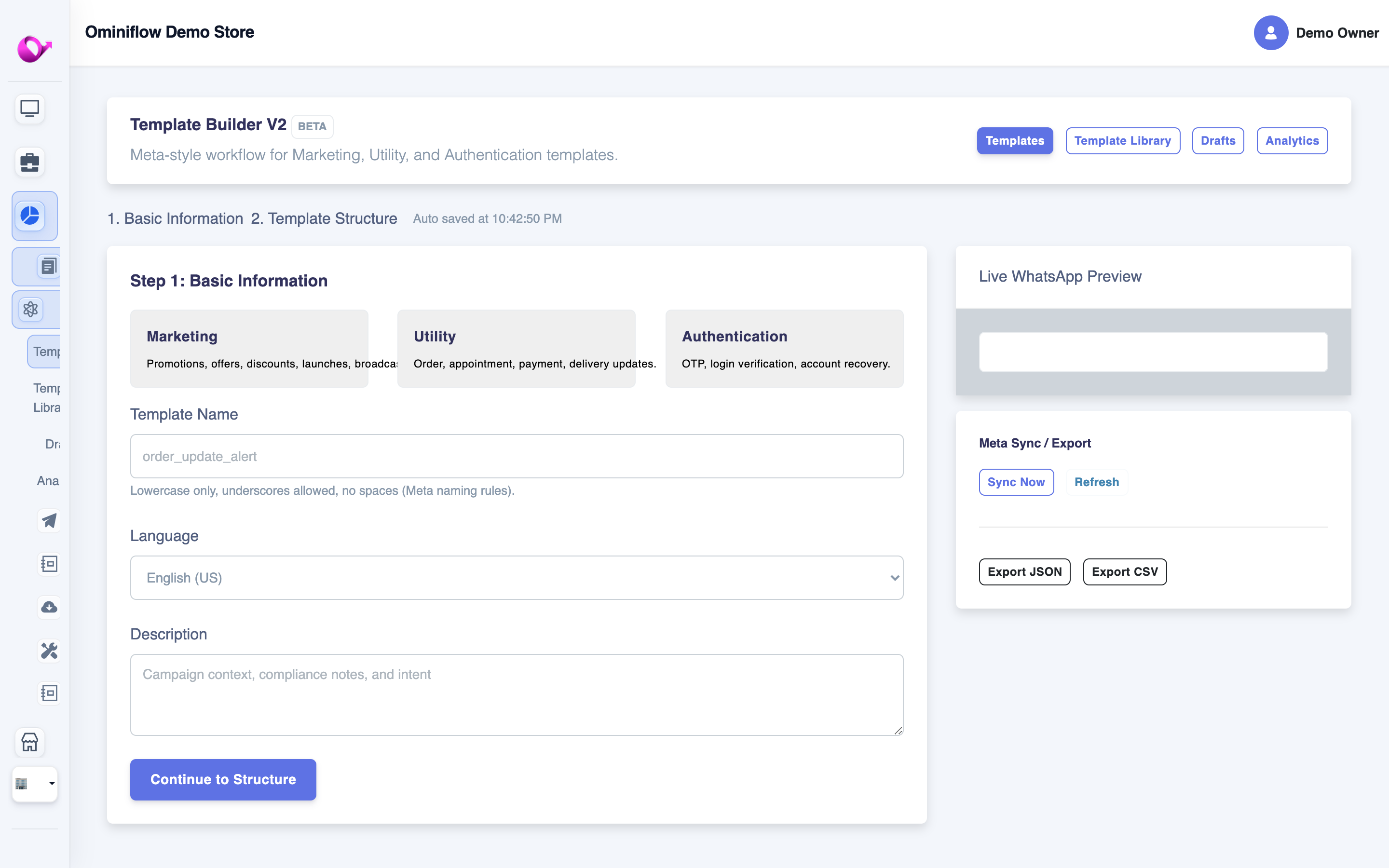
Interactive templates (buttons, carousels, limited-time offers, coupon codes) need component-level setup in the Message Templates API. Our bot builder maps button payloads to CRM fields and webhook events so you don't hand-assemble JSON for every flow.
How the pieces connect
Every working integration I've seen follows this chain:
- Source system — fires the event (CRM stage change, order shipped, ticket opened)
- Integration layer — transforms your data into WhatsApp-ready JSON
- BSP — validates template, formats phone, routes to agent or bot (automation platform)
- Meta Cloud API — delivers to the phone, sends delivery receipts
- Inbound webhook — reply comes back → your endpoint → CRM update
Outbound vs inbound — think in two pipes
Outbound: SAP IDoc → your middleware → Ominiflow → POST graph.facebook.com/v21.0/{phone_number_id}/messages → customer gets "Your order shipped."
Inbound: Customer types "Where is my order?" → Meta webhook → Ominiflow → your HTTPS endpoint → Zoho note on contact record.
Critical detail most teams learn the hard way: acknowledge webhooks with HTTP 200 immediately, then process in a background job. Meta retries on failure. Slow endpoints = duplicate CRM entries unless you deduplicate on message.id.
Customer service window — design your integration around this
Meta calls it the customer service window (CSW): 24 hours from the customer's last inbound message. During an open CSW:
- Free-form messages are allowed — text, images, buttons, lists. No template required.
- Non-template messages are free — Meta does not charge for
type: text,type: image, etc. inside the window. - Utility templates are also free if delivered while the CSW is still open.
Outside the CSW, only approved template messages can reach the user — and Meta bills per delivered template based on category and the recipient's country code.
There's also a free entry point window (up to 72 hours) when a user arrives via certain Click-to-WhatsApp ad or referral flows. All messages — including templates — are free inside that window. Worth modelling if you run Meta ads to WhatsApp.
Your ERP can't push a plain-text shipping alert unless that customer is inside the CSW. You need a pre-approved utility template: "Hi {{1}}, order {{2}} shipped. Track: {{3}}."
Submit templates early. Approval ranges from 15 minutes to 48 hours. We've seen launches slip a week because marketing copy was submitted as "utility." Full walkthrough: template message guide.
Four ways to integrate — and when each makes sense
1. Native CRM connectors
Best when your CRM is supported and you want two-way sync without middleware.
Ominiflow connects Zoho CRM and Bigin via OAuth. Deal stage changes trigger WhatsApp sequences. Replies land on the contact timeline. No Zapier bill. No 15-second delay between systems.
Good fit: Sales teams living in Zoho. Indian real estate, edtech, and BFSI often land here.
Limitation: Custom CRM modules need field mapping review before go-live. Don't assume every custom field syncs automatically.
Setup: Zoho CRM integration · skip Zapier entirely
2. Webhooks
Your server POSTs JSON when something happens. BSP POSTs back on inbound messages. You write the transformation logic.
Good fit: Custom backends, proprietary ERP, logic too branching for no-code tools.
Minimum outbound fields: to (E.164), template_name, language, components with body parameters for {{1}}, {{2}} (positional) or {{first_name}} (named — Meta supports both formats since 2025).
Limitation: You own error handling, retries, and idempotency. Meta retries failed webhook deliveries for up to 7 days — duplicate events unless you dedupe on message.id. Payloads can be up to 3 MB.
Deep dive: webhook integration guide
3. iPaaS (Make, Zapier, n8n)
Shopify order created → Make scenario → send template. Fast to prototype. Non-technical teams can own it.
Good fit: POC under two weeks, moderate volume, team already paying for Make/Zapier.
Limitation: Latency stacks per step. Per-task billing hurts at scale. A failed Zap at 2am means a customer never gets their delivery update — and you might not notice until they complain.
Guides: Make + WhatsApp · send WhatsApp using Zapier
4. Direct REST API
Your backend calls Graph API or Ominiflow endpoints directly. Sub-second dispatch. Custom retry logic. Full control.
Good fit: Fintech OTP, logistics at volume, product companies embedding WhatsApp in their app.
Example (simplified):
POST https://graph.facebook.com/v21.0/{PHONE_NUMBER_ID}/messages
Authorization: Bearer {ACCESS_TOKEN}
Content-Type: application/json

{
  "messaging_product": "whatsapp",
  "to": "919876543210",
  "type": "template",
  "template": {
    "name": "order_shipped",
    "language": { "code": "en" },
    "components": [{
      "type": "body",
      "parameters": [
        { "type": "text", "text": "Priya" },
        { "type": "text", "text": "ORD-88421" },
        { "type": "text", "text": "https://track.example/88421" }
      ]
    }]
  }
}
Code walkthrough: send messages programmatically
Which pattern should you pick?
| Situation | Pattern | Realistic timeline |
|---|---|---|
| Zoho CRM sales team | Native connector | 1–3 days |
| Shopify D2C store | Make or native Shopify flow | 3–7 days (Shopify guide) |
| SAP / enterprise ERP | CPI or webhook middleware | 2–6 weeks |
| Custom product with dev team | REST API + webhooks | 1–4 weeks |
| Website button or lead form | Click-to-chat link, or form webhook → template | 1–3 days |
| "Just testing WhatsApp" | Make/Zapier POC | 1–2 days |
Rule of thumb: if your flow has more than three conditional branches, bring a developer in — even if you start on no-code.
Playbooks by system
WhatsApp API integration with CRM
WhatsApp API integration with CRM means a lead, deal, or ticket in Zoho, HubSpot, or Salesforce can send an approved template, and the customer's reply lands on that same record. No copy-paste between the phone and the CRM.
Common flows: notify the rep on a new lead, nurture by deal stage, log the conversation on the timeline, click-to-WhatsApp from the record. No-code path: integrate WhatsApp with your CRM without developers.
Zoho, HubSpot, and Salesforce: use native OAuth on Ominiflow. We've watched teams run five Zapier zaps that break every Diwali sale. Use Make only when the CRM is not in that list, or when a custom module needs a field the connector does not map.
WhatsApp API integration with ERP
WhatsApp API integration with ERP is event-driven. A shipment, invoice, purchase-order approval, or stock-out in SAP (or your own ERP) becomes a utility template. The customer's reply can write a status back through the same middleware.
Where this pays for itself: delivery dispatch, invoice reminders, PO approvals, and stock-out alerts to account managers.
Typical path: SAP CPI or IDoc listener → middleware → BSP. Not a weekend project — budget 2–6 weeks. SAP integration guide
E-commerce — Shopify, WooCommerce
Ranked by ROI for Indian D2C:
- Order confirmed (utility) — send within 60 seconds of checkout
- Shipped + tracking link
- Delivered + review ask
- COD confirmation — reply YES to confirm; cuts RTO when done properly (COD playbook)
- Abandoned cart — marketing template, opt-in required
Helpdesk
Ticket opened → WhatsApp ping with case ID. Customer replies → ticket updated. Freshdesk guide or native inbox routing.
Fintech & custom backends
OTP (authentication templates), payment links, KYC doc requests. Latency matters — skip iPaaS chains. OTP on WhatsApp
WhatsApp Business API integration with website
A WhatsApp Business API integration with website uses the same Cloud API number as your CRM and ERP. The visitor starts the thread from a button or a form. Your server receives it on a webhook and replies with an agent, a bot, or a template. The browser never holds a Meta access token.
| Pattern | What the visitor does | What your stack does |
|---|---|---|
| Click-to-chat button | Taps a header, product, or sticky button and lands in WhatsApp with a prefilled line | Nothing until they send. Then WhatsApp API webhooks deliver the message to inbox, bot, or CRM. Build the link with a wa.me link on the Cloud API number — not a personal number. |
| Website form → WhatsApp | Submits name, phone, and a consent checkbox | Your backend or Make sends a utility confirmation to the visitor and a lead alert to sales. Store the opt-in source and timestamp. WhatsApp forms cover the in-chat version of the same capture. |
| Checkout opt-in | Ticks WhatsApp updates at Shopify or WooCommerce checkout | Order events fire utility templates (confirmed, shipped, delivered). That is store integration, not a chat bubble. Shopify guide. |
The green bubble is not the API. It only opens the customer's WhatsApp app. Graph API calls stay on your server or on the BSP. Point the button at the display number that is already CONNECTED on Cloud API. A second personal number splits site chats and CRM chats across two inboxes.
Paid traffic should use the same number. Click-to-WhatsApp ads and the site button then share one thread history, one bot, and one CRM contact. Partners who onboard their own clients from a product site use Embedded Signup — that creates a WABA, which is a different job from a chat button. Buyer-side capture without a form: WhatsApp in-app signup.
Rollout checklist — seven steps
- Get API access through a BSP. Setup guide · verify Meta Business Manager + display name.
- Register phone number — status must be CONNECTED. PENDING numbers don't fire webhooks for real messages.
- Submit templates — one per trigger. Build rejection time into your project plan.
- Map fields — E.164 phones, order IDs, names. Wrong format fails quietly in prod.
- Build connector — native, webhook, Make, or API. Log outbound attempts (template + recipient hash).
- Configure inbound webhooks — HTTPS, verify
X-Hub-Signature-256, return 200 within seconds, queue the rest. Subscribe tomessagesat minimum; addmessage_template_status_updateandphone_number_quality_updatefor production monitoring. - Test both directions on real phones before any broadcast over 500 contacts.
Printable: onboarding checklist
WhatsApp API webhooks
WhatsApp API webhooks are how replies, button taps, delivery receipts, and template status reach your CRM or ERP. On a direct Cloud API integration, Meta POSTs JSON to your HTTPS endpoint. Required App permissions: whatsapp_business_messaging (messages) and whatsapp_business_management (everything else). Product surface: API and webhooks.
High-signal webhook fields for integration projects:
| Webhook field | Why it matters for your stack |
|---|---|
messages | Inbound customer text, buttons, media — route to CRM or bot |
messages (statuses) | sent → delivered → read — drive retry logic and analytics |
message_template_status_update | Template approved/rejected/paused — block campaigns before send failures |
message_template_quality_update | Quality dropped to Low — pause broadcasts before Meta disables template |
phone_number_quality_update | Throughput tier changes — affects broadcast speed limits |
account_alerts | Messaging limit upgrades, display name outcomes, OBA status |
smb_message_echoes | Messages sent from WhatsApp Business app when using coexistence |
automatic_events | Purchase/lead events from Click-to-WhatsApp ad threads |
Meta retries non-200 responses with decreasing frequency for 7 days. Slow endpoints cause duplicate CRM entries. Ominiflow terminates Meta webhooks on our side — your integration listens to Ominiflow outbound webhooks or polls our API, which is simpler than subscribing to the full Meta field list yourself.
Deep dive: webhook integration guide
Security and compliance — non-negotiables
- Verify webhook signatures — HMAC-SHA256 of raw body vs
X-Hub-Signature-256. IP allowlists alone aren't enough. - Store tokens in a secrets manager — not in git. Rotate when people leave.
- Redact PII in logs — full phone numbers and message bodies don't belong in plaintext log files.
- Document marketing opt-in — source, timestamp, method. Meta restricts accounts that blast without consent.
- DPDP / GDPR — deletion requests must cover CRM and WhatsApp contact lists. India's DPDP Act applies to Indian residents.
What breaks in production (and how to fix it)
| What you see | What's actually wrong | Fix |
|---|---|---|
| Dashboard test works; real messages don't hit webhook | WABA not subscribed to your app | POST /{WABA_ID}/subscribed_apps — test button skips this |
| Outbound OK; inbound dead | Phone PENDING, or messages not in webhook subscription | Re-verify number; check subscription fields |
| Error #132000 on send | Template variable count mismatch | 3 placeholders in template, 2 in payload |
| Replies arrive hours late | Slow webhook or shared hosting throttling | Return 200 in under 5s; host on GCP/AWS |
| Duplicate CRM leads | Webhook retries, no idempotency | Dedupe on message.id |
| Utility template rejected | Promotional copy in transactional category | Rewrite or recategorize |
More: common API mistakes · ban prevention
What integration actually costs (2026 pricing model)
Two invoices, always:
- BSP platform fee — inbox, bots, campaigns, CRM connectors, onboarding support
- Meta template delivery charges — per delivered template message, by category and recipient country
Meta moved from conversation-based to per-message pricing on July 1, 2025. Key rules from the official pricing docs:
- Charged only when a template message is delivered (
type: template) - Non-template messages are free inside an open customer service window
- Utility templates are free inside an open CSW (e.g. order confirm right after customer replies)
- Marketing templates are always charged on delivery
- Volume tiers unlock lower utility and authentication rates at higher monthly send volumes
- Free entry point window — up to 72 hours of free messaging (including templates) from certain ad entry points
India reference (confirm on Meta's INR rate card): marketing ₹0.86, utility ₹0.115 per delivered template. Indian partners must migrate WABAs to INR billing by December 31, 2026 — Ominiflow handles this during onboarding for India Sold-To accounts.
Some BSPs add 15–30% markup on Meta fees — ask for a sample invoice at your volume before signing. Ominiflow passes Meta fees at cost. Details: pricing guide · October 1, 2026 rate-card update · TCO calculator
What this looks like in practice
A skincare D2C brand — ~12,000 Shopify orders/month. Needed order updates, COD confirm, cart recovery.
- Stack: Shopify → Make → Ominiflow → Cloud API
- Templates: 4 utility + 1 marketing (cart)
- After 90 days: 94% utility delivery, RTO down 22%, cart recovery ~₹3.8L/month incremental revenue
- Lesson: They'd drop Make for native Shopify triggers next — one less failure point at their volume
Similar story: electronics cart recovery case study
Building this on Ominiflow — what we provide on top of Meta's platform
Ominiflow is a Meta Business Solution Provider. We sit on the same WhatsApp Business Platform your engineering team would integrate directly — but we ship the application layer most teams would otherwise build over 8–12 weeks.
Onboarding and account management
- Embedded Signup — WABA creation, Business Manager verification, and phone OTP without your team navigating Meta consoles alone
- Display name and number registration — we track CONNECTED status and chase PENDING verification blockers
- Template lifecycle — create, submit, and monitor approval; quality-score alerts before Meta pauses a template
- INR / multi-currency billing setup — India WABA currency migration and Meta invoice alignment
- Coexistence guidance — run WhatsApp Business app and API on the same number during transition
Messaging and automation
- Visual chatbot builder — FAQ flows, lead qualification, button/list handlers, human handoff with full transcript
- Template broadcasts — segmented marketing sends with opt-in tracking and throttle controls
- Event-triggered automation — CRM stage changes, Shopify orders, webhook payloads → utility or marketing templates
- Interactive message support — reply buttons, list menus, catalog cards, product carousels via Cloud API
- Click-to-WhatsApp (CTWA) — route Meta ad clicks into qualified WhatsApp conversations and CRM records
Team operations
- Shared team inbox — multi-agent assignment, tags, notes, collision-free routing
- Built-in CRM pipeline — capture leads from chat; sync to Zoho, HubSpot, or Salesforce when ready
- Analytics dashboards — delivery, read, reply, agent performance, campaign attribution
- 60+ integrations — Zoho CRM/Bigin (native OAuth), Shopify, WooCommerce, Freshdesk, Make, Zapier, REST API
Integration paths we support
| Your stack | Ominiflow path | Meta API underneath |
|---|---|---|
| Zoho CRM / Bigin | Native OAuth connector — two-way timeline sync | Cloud API templates + inbound webhooks |
| Shopify / WooCommerce | Order triggers, catalog sync, COD confirm flows | Utility templates + interactive buttons |
| SAP / custom ERP | Your middleware → Ominiflow webhook or REST API | Cloud API /messages endpoint |
| Make / Zapier / n8n | Pre-built connectors for quick POC | Same template payload structure as Graph API |
| Your backend | Direct REST API + outbound webhooks from Ominiflow | We hold Meta tokens and WABA subscription |
Managed services (optional)
Not every team wants to self-serve from day one. Our services team handles full rollout: verification, template copy review, bot scripting, CRM field mapping, agent training, and go-live QA. Most customers are live in days, not months — verification (1–3 days) → templates (parallel) → connector build (1–2 weeks) → QA → production.
Also worth reading: WhatsApp API India · choosing a platform · 2026 benchmark · managed setup services
FAQ
What is WhatsApp API integration? expand_more
Connecting your business software (CRM, ERP, store, helpdesk) to Meta's WhatsApp Cloud API so messages fire on business events and replies sync back via webhooks.
Do I need developers? expand_more
Not for simple flows — native connectors and Make/Zapier handle a lot. SAP CPI, custom ERP, high-volume OTP: yes, you need backend engineers. If your logic branches more than three ways, plan for dev time.
Can I connect Shopify? expand_more
Yes — Make/Zapier on order webhooks, Shopify apps, or custom integration with utility templates for order lifecycle messages.
How does WhatsApp API integration with CRM work? expand_more
A CRM event sends an approved template, and the reply is written back to the same contact. On Ominiflow, Zoho CRM and Bigin use native OAuth. Custom CRMs use webhooks. HubSpot and Salesforce usually go through native sync or Make, with approved templates either way.
How does WhatsApp API integration with ERP work? expand_more
SAP or your own ERP emits an event (shipment, invoice, approval). Middleware turns it into a utility template on Cloud API. The customer's reply returns on a webhook so the ERP can update the document. Budget 2–6 weeks, mostly on the middleware and template approval.
How do I add WhatsApp Business API to my website? expand_more
Add a wa.me button on the Cloud API number, or post the website form to a webhook that sends a utility template after consent. Do not put the Meta token in frontend JavaScript. Checkout opt-in is a separate path: the store fires templates on order events.
What are WhatsApp API webhooks? expand_more
HTTPS callbacks from Meta (or from your BSP) for inbound messages, delivery and read receipts, and template or phone-number status. Return HTTP 200 immediately and process the payload in a queue. Deduplicate on message id, because Meta retries non-200 responses for up to 7 days.
What's the difference between Cloud API and a BSP? expand_more
Cloud API is Meta's messaging infrastructure on graph.facebook.com. A BSP like Ominiflow adds inbox, bots, CRM connectors, template UI, Embedded Signup, and webhook management so you don't build that application layer yourself.
What format does the API use? expand_more
JSON over HTTPS. E.164 phone numbers. Template variables as positional ({{1}}, {{2}}) or named ({{first_name}}) in the components array.
How does Meta charge for WhatsApp API messages in 2026? expand_more
Per delivered template message by category and recipient country. Non-template replies inside the customer service window are free. Utility templates are also free inside an open CSW. Conversation-based pricing ended July 1, 2025.
What does Ominiflow provide for integration? expand_more
BSP onboarding, shared inbox, chatbot builder, template management, native Zoho/HubSpot/Salesforce connectors, Shopify/WooCommerce triggers, broadcasts, webhooks, REST API, analytics, and optional managed rollout.
How long does integration take? expand_more
Zoho native: 1–3 days. Shopify via Make: under a week. SAP or custom ERP: 2–6 weeks, mostly middleware and template approval.
Can I switch BSPs without changing my phone number? expand_more
Yes — number and approved templates transfer via Meta. Chatbot flows need rebuilding. Migration checklist
Why do webhooks work in Meta's test but not with real messages? expand_more
The dashboard test bypasses WABA-to-app subscription. Real traffic needs your WhatsApp Business Account subscribed to your app via Graph API, and phone status CONNECTED. Last updated November 2026. Pricing and policy references checked against Meta developer documentation — verify current rates before budgeting.