Are WhatsApp templates required for all outbound messages?
WhatsApp template message API guide — categories, approval rules, {{1}} variables, REST send examples, rejection fixes, broadcast strategy, and troubleshooting for Cloud API in 2026. Yes, for business-initiated messages outside the 24-hour customer service window. Within the window, free-form session messages are allowed.
Last updated: 6 July 2026
WhatsApp template messages are pre-approved message formats required whenever your business initiates a conversation outside the 24-hour customer service window. Order confirmations, marketing broadcasts, OTP codes — they all flow through the WhatsApp template message API on Meta's Cloud API. Get templates wrong and nothing sends. Get them right and you have a scalable, compliant messaging layer.
This guide covers the four template categories, creation and approval workflow, REST API send syntax, variable rules, rejection fixes, broadcast strategy, troubleshooting error codes, and how Ominiflow simplifies template management for Indian teams.
Too long? Start here
- Templates must be approved by Meta before sending — typically minutes to 48 hours
- Four categories: marketing, utility, authentication, service — pricing differs per country
- Variables use
{{1}},{{2}}placeholders mapped in APIcomponentsarray - Business-initiated = template required. Inside 24-hour window after customer messages = free-form allowed
- Error #132000 = variable count mismatch — most common production failure
- India tip: create separate Hindi and English templates per use case
What are WhatsApp message templates?
Templates are standardized message shells with fixed body text and optional header (text, image, video, document), footer, and interactive buttons (quick reply, URL, phone). Meta reviews each template for policy compliance before approval.
That's the core constraint of WhatsApp API integration: your ERP can't fire a free-form "your package left the warehouse" string unless the customer is inside the 24-hour window.
"Template approval isn't a day-before-launch task. Build template creation into your project timeline from week one — rejections delay every downstream integration."
The 24-hour rule
- Session messages: Customer messages you first → 24 hours to reply freely without templates
- Business-initiated: You reach out first → approved template required in correct category
Map every outbound trigger to a template name before writing connector code.
Template categories explained
| Category | Use case | India cost (approx) | Opt-in | Examples |
|---|---|---|---|---|
| Marketing | Promotions, offers | ₹0.86/conversation | Required | Sale alerts, cart recovery |
| Utility | Transactional updates | ₹0.115/conversation | Transactional relationship | Order shipped, COD confirm |
| Authentication | OTP and verification | ₹0.115/conversation | User requested | Login codes, transaction PIN |
| Service | Support (within window) | Varies | Customer messaged first | Case updates |
Full pricing: API pricing guide. Never submit promotional copy as utility — Meta rejects and may flag your account.
How to create and submit templates
- Draft in Ominiflow — Template manager: category, language, body text
- Add variables —
{{1}},{{2}}for dynamic fields. Provide sample values for Meta review - Choose components — Optional header image, footer disclaimer, CTA buttons
- Submit to Meta — Ominiflow syncs to Cloud API; status: pending → approved or rejected
- Test send — Your own number before broadcasting to customers
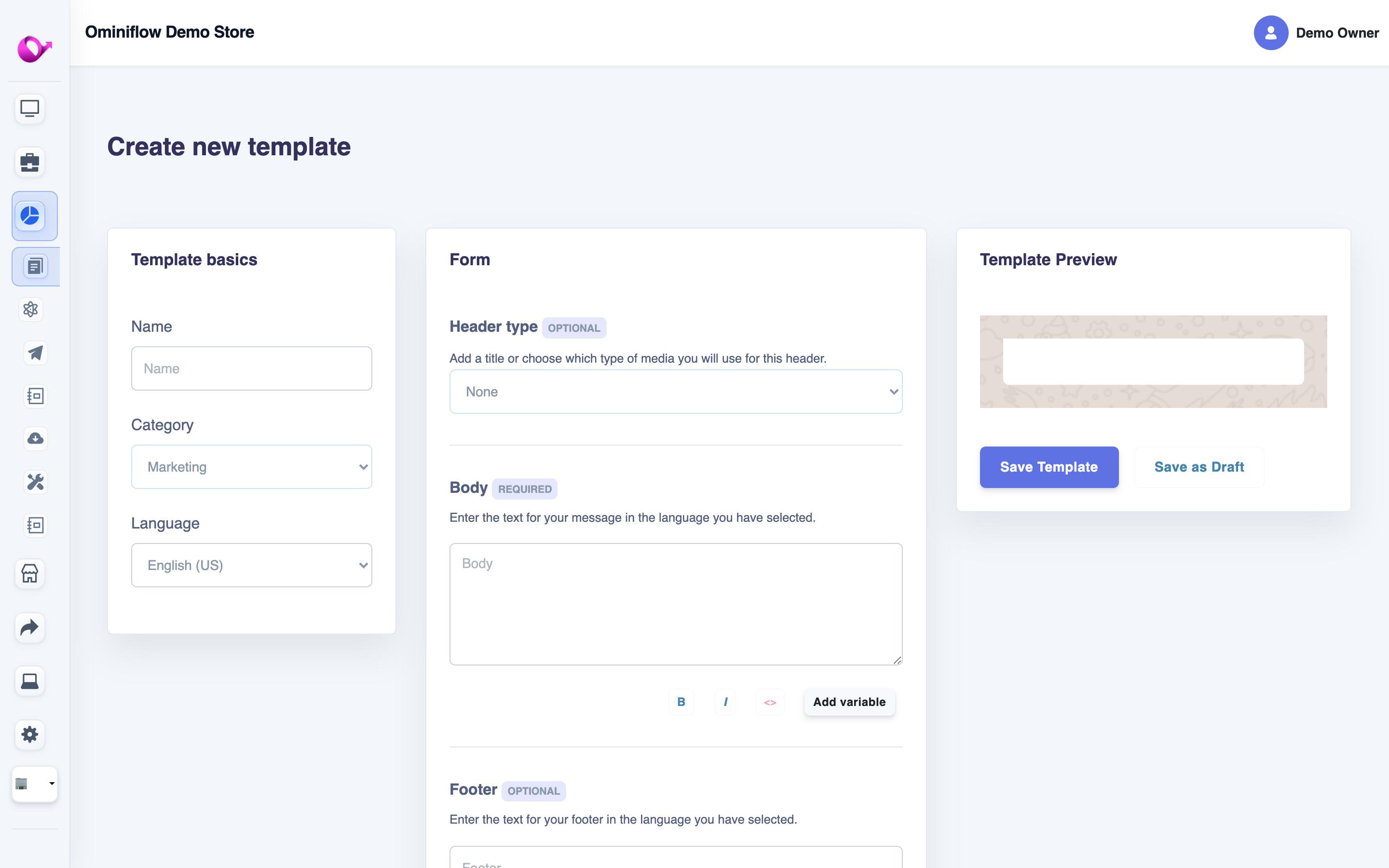
Create marketing, utility, or authentication templates in Ominiflow — category, language, variables, and Meta-style preview in one screen.
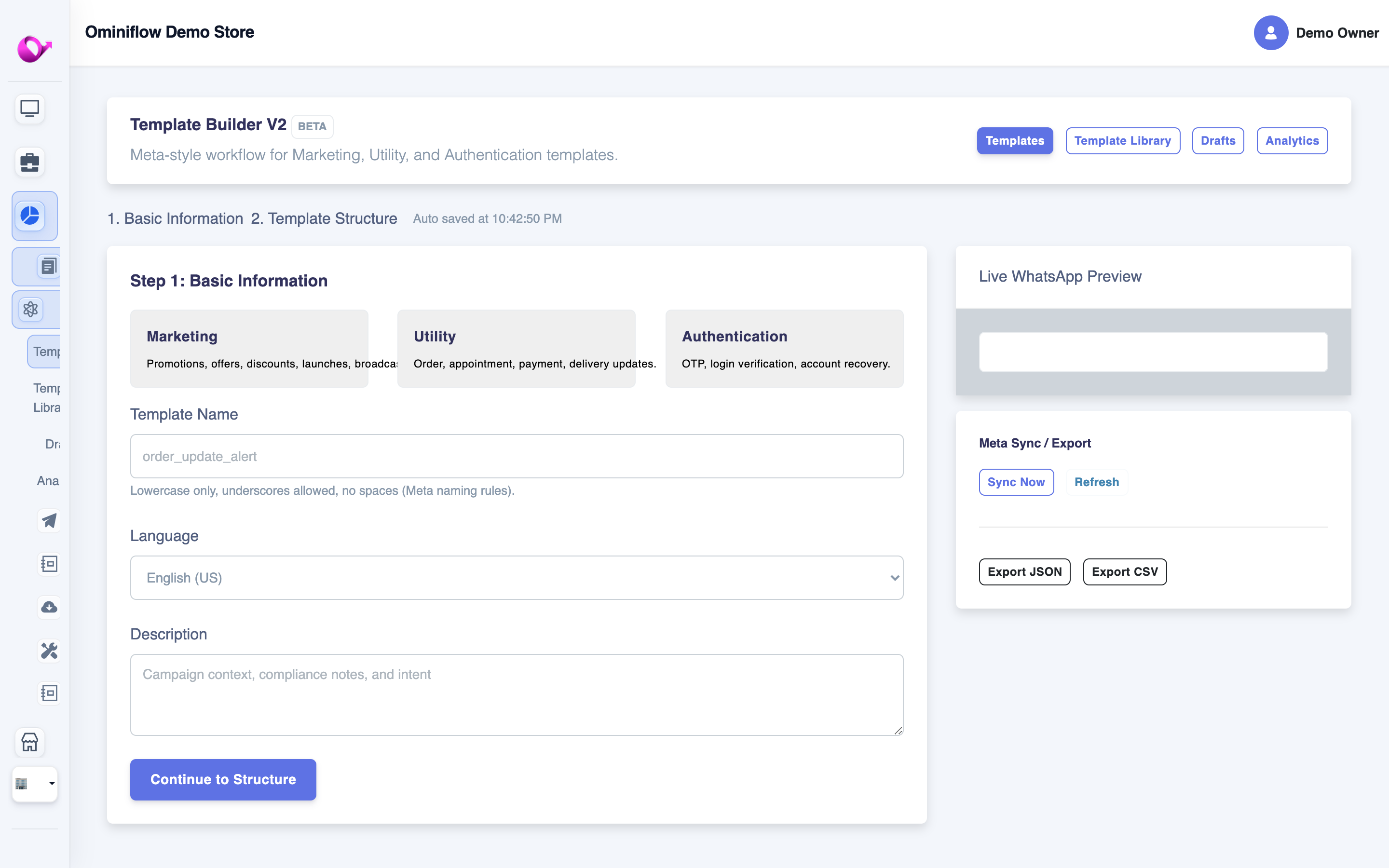 Template Builder V2 — Meta-style workflow with category picker, sync to Cloud API, and live WhatsApp preview.
Variable rules Meta enforces
- No variable at the very start or end of body text — add static words around placeholders
- Variable count in send payload must match template exactly (error #132000 if mismatch)
- Sample values must be realistic during submission
- URLs should use your domain — avoid opaque shorteners
- Maximum variables per template varies by category — check Meta docs for current limits
Sending templates via API
POST https://graph.facebook.com/v21.0/{PHONE_NUMBER_ID}/messages
Authorization: Bearer {ACCESS_TOKEN}
Content-Type: application/json

{
  "messaging_product": "whatsapp",
  "to": "919876543210",
  "type": "template",
  "template": {
    "name": "order_shipped",
    "language": { "code": "en" },
    "components": [{
      "type": "body",
      "parameters": [
        { "type": "text", "text": "Priya" },
        { "type": "text", "text": "ORD-88421" },
        { "type": "text", "text": "https://track.example/88421" }
      ]
    }]
  }
}
Header image example — add components block with type header and image link parameter.
Walkthrough: send messages programmatically · webhook guide
Template best practices
- Match category to content — utility for transactional only
- One template per trigger — not one mega-template with 8 variables
- Include opt-out language — marketing templates should mention how to unsubscribe
- Localize — Hindi + English templates for India campaigns
- Monitor quality rating — high block/report rates reduce messaging tier
- Version control — log template name + version in outbound audit logs
- Pre-warm before festivals — submit Diwali templates 48h before peak send
Common rejection reasons and fixes
| Rejection | Cause | Fix |
|---|---|---|
| Promotional language in utility | Discount mention in order update | Remove promo; use marketing category with opt-in |
| Variable at start/end | {{1}} is first word | Add "Hi {{1}}" or "Order {{1}} confirmed." |
| Missing samples | Empty sample values | Provide realistic examples |
| Duplicate template | Resubmitting identical rejected copy | Modify wording before resubmit |
| Abusive content | Policy violation | Review Meta commerce policies |
| URL shortener blocked | bit.ly or opaque links | Use your branded domain |
Production error codes
| Error | Meaning | Fix |
|---|---|---|
| #132000 | Variable count mismatch | Match parameter count to {{n}} placeholders |
| #132001 | Template does not exist | Check exact template name and language code |
| #131026 | Message undeliverable | Invalid phone or user not on WhatsApp |
| #130429 | Rate limit hit | Throttle broadcast; implement backoff |
| #131047 | Re-engagement required | Customer outside 24h window — use template |
More pitfalls: 5 common API mistakes
Templates in broadcast campaigns
Marketing broadcasts send an approved template to a segmented contact list. On Ominiflow: segment audiences, schedule sends, track delivery/read/click rates.

Pair approved templates with contact segments before scheduling a marketing broadcast.
Pair with bulk messaging best practices for opt-in compliance.
Benchmark: automated journeys average 11.1% CTR vs 2.6% for unsegmented broadcasts — 2026 marketing benchmark.
FAQ
Are templates required for all outbound messages? expand_more
Yes, for business-initiated messages outside the 24-hour window. Within the window, session messages (free-form text) are allowed.
How long does template approval take? expand_more
Usually minutes to a few hours. Complex marketing templates may take up to 48 hours.
Can I edit an approved template? expand_more
Edits require re-approval. Minor variable changes may auto-approve; body text changes trigger new review.
Do templates transfer between BSPs? expand_more
Yes. Templates are registered to your Meta Business account. Switching BSPs retains approved templates on the same WABA.
Does Ominiflow charge for template submission? expand_more
No. Template creation and Meta submission are included on all Ominiflow plans.
What causes error #132000? expand_more
Variable count mismatch — your API payload sends fewer or more parameters than the template has {{n}} placeholders.
Can I use one template for Hindi and English? expand_more
Submit separate templates per language code (e.g. en, hi). Meta matches language at send time. Get Template Help → Updated July 2026. WhatsApp template message API guide — verified against Meta Cloud API documentation and Ominiflow template manager.

