How to send 500 messages on WhatsApp?
Need to send 500, 1,000, 10,000, or 100,000 WhatsApp messages? Use Cloud API tiers, opted-in lists, and approved templates — step-by-step for each volume. Use the WhatsApp Cloud API with an opted-in contact list and a Meta-approved template. After scaling past the 250 starter limit to the 2,000 tier, platforms like Ominiflow can send one broadcast to all 500 contacts.
Last updated: 11 August 2026
Searching how to send 500 / 1,000 / 10,000 / 100,000 messages on WhatsApp? You cannot do it from a personal chat or the free Business App broadcast list (256 contacts max). At these volumes you need the WhatsApp Business Platform (Cloud API), a Meta-approved template, documented opt-in, and a messaging tier that matches your list size.
This guide maps each volume to the right tier, workflow, and cost ballpark — then shows how to run the send on Ominiflow without getting restricted. Still at 100 contacts? Use how to send 100 messages at once.
Quick answer by volume
| Volume | Possible? | What you need |
|---|---|---|
| 500 messages | Yes | Cloud API + opt-in list + approved template; tier ≥ 2,000 unique users/day (after verification/scaling) |
| 1,000 messages | Yes | Same; comfortably fits the 2,000 tier |
| 10,000 messages | Yes when tier allows | Automatic scale to 10,000 unique users/24h + high quality rating |
| 100,000 messages | Yes when tier allows | 100,000 tier (or Unlimited); warm-up, segmentation, and quality monitoring required |
- Limits count unique recipients you message outside the 24-hour customer service window — not every reply inside an open chat.
- Limits are portfolio-level — all numbers in one Meta Business Portfolio share the same daily unique-user cap.
- No purchased lists. Cold CSV uploads are the fastest path to a quality drop or ban.
WhatsApp messaging tiers (2026)
Meta sets how many unique WhatsApp users your business can message first in a rolling 24-hour period. Official ladder:
| Tier | Unique users / 24h | How you get there |
|---|---|---|
| Starting | 250 | Default for new business portfolios |
| Scaled | 2,000 | Complete Meta's scaling path (business verification / partner path / quality messaging) |
| Growth | 10,000 | Automatic — use ≥50% of current limit in 7 days at high quality |
| Scale | 100,000 | Automatic — same criteria |
| Top | Unlimited | Automatic — same criteria |
Meta re-evaluates roughly every six hours. Check your current limit via Business Manager or the phone-number field whatsapp_business_manager_messaging_limit. Source: Meta messaging limits docs.
Implication for your searches: 500 and 1,000 need at least the 2,000 tier. 10,000 and 100,000 need those exact tiers (or Unlimited). You cannot jump from 250 straight to a 100K Diwali blast.
How to send 500 messages on WhatsApp
500 is the easiest “real campaign” size once you are off the 250 starter tier.
- Verify your business in Meta Business Manager and complete the path to the 2,000 messaging limit.
- Collect opt-in for all 500 numbers (checkout checkbox, form, QR, or click-to-WhatsApp with clear messaging intent). Log source + timestamp.
- Submit a template — marketing for offers, utility for order/appointment alerts. Wait for Meta approval.
- Upload the segment in Ominiflow (E.164 format, e.g.
919876543210). Scrub invalid / landline numbers. - Test 20–50 contacts, confirm delivery and replies, then send the full 500.
Cost ballpark (India marketing ₹0.86/conversation): ~₹430 Meta fees + BSP plan. Utility is cheaper. Verify on Meta’s rate card before budgeting.
Business App broadcast lists max at 256 — so even 500 already requires the API.
How to send 1,000 messages on WhatsApp
Same workflow as 500, one broadcast, one approved template.
- Confirm messaging tier ≥ 2,000 unique users/day.
- Confirm every contact has WhatsApp opt-in (email consent ≠ WhatsApp consent).
- Pick template category honestly — flash sale = marketing; “order shipped” = utility.
- In Ominiflow: create campaign → select template → select 1,000-contact segment → schedule or send.
- Watch block/report rate. Pause if block rate approaches 1%.
Cost ballpark: ~1,000 India marketing conversations ≈ ₹880 Meta + platform fee. See pricing and the TCO calculator.
Feature path: broadcast to 1,000 at once.
How to send 10,000 messages on WhatsApp
10,000 is where teams get restricted — usually from cold lists or jumping volume too fast.
- Earn the 10,000 tier — after 2,000, use at least half your limit within seven days while quality stays High; Meta auto-upgrades.
- Warm first — run a few 500–2,000 utility or high-engagement marketing sends before a 10K promo.
- Segment hard — past purchasers, engaged tags, geography. A sharp 6K list beats a lazy 10K dump.
- Test 500–1,000, then roll the rest the same day if metrics are clean.
- Staff the inbox — 10K sends can produce hundreds of replies; route them in Ominiflow’s team inbox.
Cost ballpark: 10,000 marketing ≈ ₹8,600 Meta fees in India (before BSP fees). Budget replies and agent time, not just send cost.
Related: safe bulk messaging guide · bulk messaging software.
How to send 100,000 messages on WhatsApp
100,000 unique users in 24 hours is an enterprise-scale send. Treat it as an operations project, not a button click.
- Reach the 100,000 (or Unlimited) tier via automatic scaling — high quality + sustained half-limit usage.
- Portfolio planning — limits are shared across all numbers in the portfolio; don’t schedule overlapping mega-blasts that eat the same quota.
- List hygiene at scale — validate numbers, remove STOP/blocked, suppress inactive 180+ days for marketing.
- Throttle and wave — split into waves (e.g. 20K × 5) if you want safer quality observation, or one paced campaign with live pause rules.
- Compliance pack — opt-in records ready for audit; marketing templates with clear brand + opt-out path.
- War room — monitor delivery, read, click, block, and spam reports in real time; kill the campaign if quality dips.
Hard math: A 2% block rate on 100,000 sends = 2,000 people who rejected you — enough to trigger quality review. Segment or don’t send.
Cost ballpark: 100,000 India marketing conversations ≈ ₹88,000 Meta fees alone. Model ROI before festival locks.
What will NOT work
- Personal WhatsApp or multi-device “grey” panels blasting CSVs
- Modified apps (GB WhatsApp, etc.)
- Business App broadcast lists for anything above 256
- Purchased / scraped phone lists
- Marketing copy stuffed into utility templates
- Adding extra phone numbers to “multiply” limits — portfolio cap is shared
Ban recovery is slow. Prevention guide: WhatsApp ban complete guide.
Step-by-step on Ominiflow (any volume)
- Connect Cloud API — guided Meta signup / Embedded Signup.
- Import or sync contacts — only opted-in; tag by source and consent date.
- Create & submit templates — wait for Meta approval before campaign day.
- Build the segment — 500 / 1K / 10K / 100K as needed; preview personalization variables.
- Schedule or send — avoid quiet hours; start with a canary batch.
- Monitor analytics — delivery, reads, replies, blocks; pause if quality drops.
- Handle replies — agents or bots in the same inbox so broadcasts convert.

Create a compliant broadcast — approved template, opted-in segment, send or schedule.
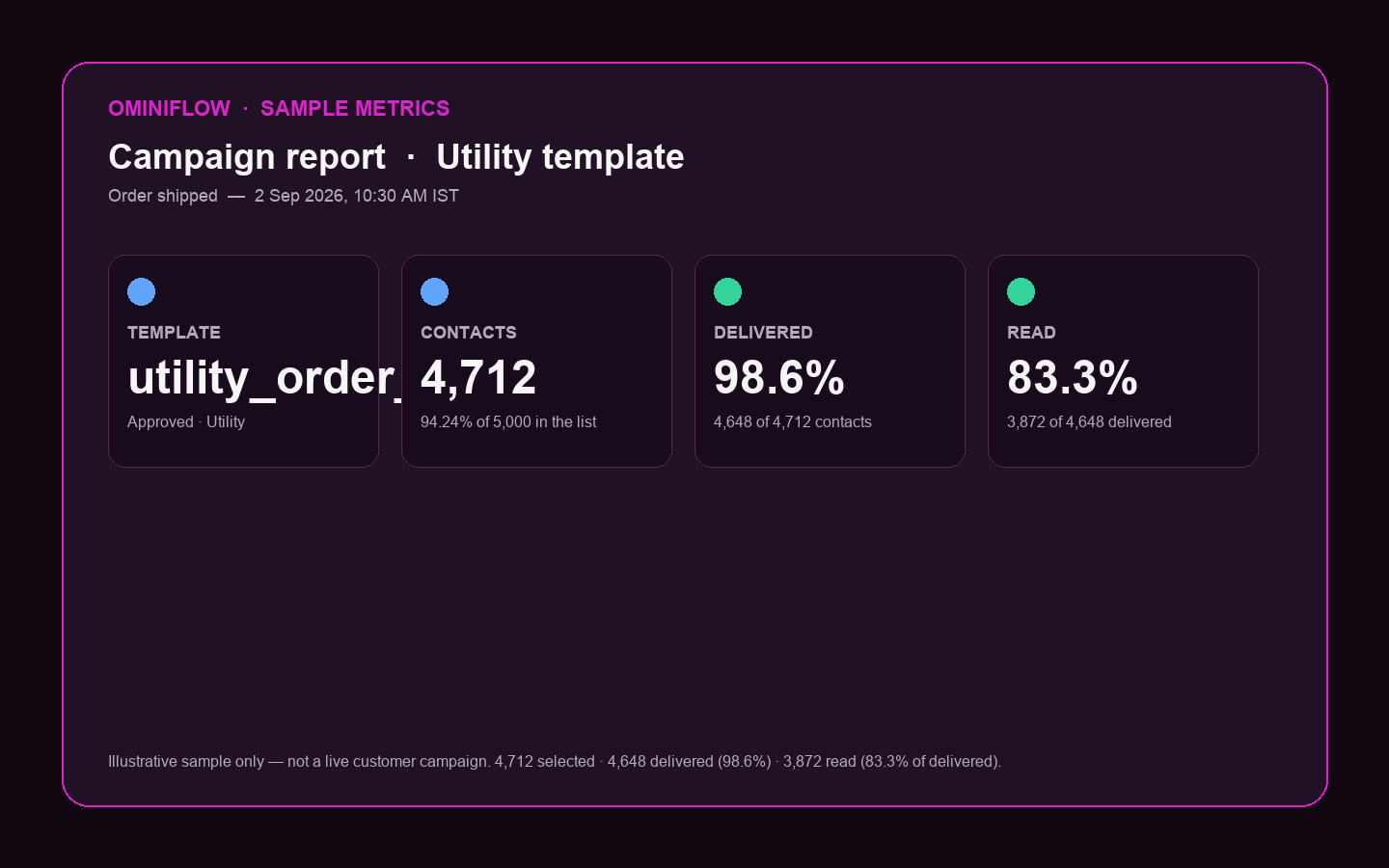 Track delivery and engagement after each volume send — pause if block rate spikes.
Pre-send checklist
- Messaging tier ≥ list size (250 / 2K / 10K / 100K / Unlimited)
- Opt-in documented for every number
- Template approved in the correct category
- Variables match template (
{{1}},{{2}}…) - Test batch delivered with low blocks
- Inbox staffing / bot ready for replies
- Meta + BSP cost budgeted
- Kill criteria defined (e.g. pause if block rate > 1%)
Send at your volume with Ominiflow
Ominiflow runs official Cloud API broadcasts for 500 to 100,000+ opted-in contacts — templates, segments, scheduling, analytics, and team inbox in one place.
Start free trial → Book a demo →
Also read: API setup · template guide · pricing explained
FAQ
How to send 500 messages on WhatsApp? expand_more
Use the WhatsApp Cloud API with an opted-in list and a Meta-approved template. After you leave the 250 starter limit (typically via verification/scaling to 2,000), one Ominiflow broadcast can send to all 500 contacts.
How to send 1,000 messages on WhatsApp? expand_more
Same as 500: Cloud API + opt-in + approved template on a tier of at least 2,000 unique users per day. One campaign can target all 1,000 contacts.
How to send 10,000 messages on WhatsApp? expand_more
Earn the 10,000 messaging tier (automatic after sustained high-quality usage at 2,000), warm your number with smaller sends, then run a segmented 10K broadcast. Test 500–1,000 first.
How to send 100,000 messages on WhatsApp? expand_more
You need the 100,000 or Unlimited tier, strict list hygiene, and live quality monitoring. Split into waves if needed. Never upload purchased lists at this scale.
Can I send these volumes from the WhatsApp Business App? expand_more
No. Broadcast lists cap at 256 contacts. 500+ requires the Business Platform / Cloud API via a BSP like Ominiflow.
Do I need a different template for each volume? expand_more
No. One approved template can be sent to any list size your tier allows. Category and copy must still match Meta’s rules.
Is there a free way to send 10,000 WhatsApp messages? expand_more
No legitimate free path at that scale. Meta charges per conversation category; unofficial “free blast” tools risk permanent bans. Last updated August 2026. Messaging tiers and pricing verified against Meta developer documentation — confirm limits in Business Manager before large campaigns.

